View antivirus results
checking the app
App screenshots




About this app
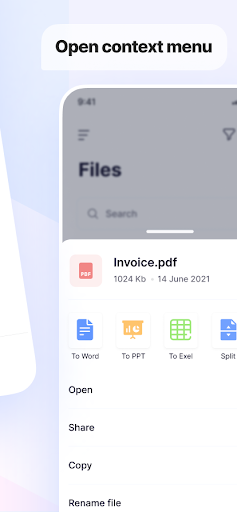
Aspose.PDF is a completely free, powerful, and easy-to-use PDF editor that puts every PDF tool you need in one place. Edit PDF, convert PDF to Word, scan documents, sign PDFs, compress, merge, split, and secure files — all from a clean, intuitive interface.
📌 Note: An active internet connection is required, as the app works with Aspose.PDF Cloud.
✅ Works on any device
✅ Secure – no data shared
✅ Powered by Aspose.PDF Cloud
🔧 Key Features
🛠️ Edit & Annotate PDFs
Draw on PDF using your finger or stylus
Add images from gallery or camera
Add watermark or crop pages
Remove Watermark from PDFs (New)
Change Fonts in your PDF (New)
Remove comments and clean up annotations in seconds
📄 Convert PDFs
PDF to Word, Excel, PowerPoint, and Text
PDF to SVG (New)
Webpage to PDF (New)
PDF page to image and image to PDF
Images to PDF (JPG, PNG, BMP)
📑 Manage PDF Pages
Split and merge PDF files
Reorder, rotate, and delete pages
Add customizable page numbers
🔒 Secure PDFs
Password-protect or unlock PDFs in one tap
🛠️ Repair & Optimize
Repair PDF: fix damaged or corrupted files (New)
Compress PDF to reduce file size
Resize PDF while maintaining quality
Archive mode for long-term storage
🔍 Scan & OCR
Scan to PDF using camera or gallery
OCR PDF to make scanned documents searchable
🔍 Extract & Compare
PDF to Text: pull clean text for easy reuse
Compare PDFs to spot differences instantly
✍️ Sign & Organize
Sign PDF with handwritten signatures
Edit metadata to view or update document info
⚙️ Why Choose Aspose.PDF?
Lightweight – runs smoothly on low-end devices
Cloud-based – no heavy processing on your phone
Privacy first – no data tracking or sharing
User-friendly – fast, simple interface with professional tools
📬 Feedback & Suggestions
We're always improving! Email us anytime: marketplace@aspose.cloud
What’s new
Draw on PDF is now Edit PDF: draw with a pen or highlighter, add lines, arrows, rectangles and ellipses, and type text anywhere on the page with bold, italic, color and size options. Move and resize what you add, erase, and undo or redo across all pages. Edit the whole document and save once.