View antivirus results
| Antivirus | Status |
|---|---|
| McAfee | Clean |
| FSecure | No result |
Needs further review: this scanner has not returned a result for this version of the app. | |
| Symantec | Clean |
| ClamAv | Clean |
| Kaspersky | No result |
Needs further review: this scanner has not returned a result for this version of the app. | |
| Eset | Clean |
| DrWeb | Clean |
| Comodo | Clean |
| ZonerMobileSecurity | Clean |
| GooglePlayProtect | Clean |
App screenshots

About this app
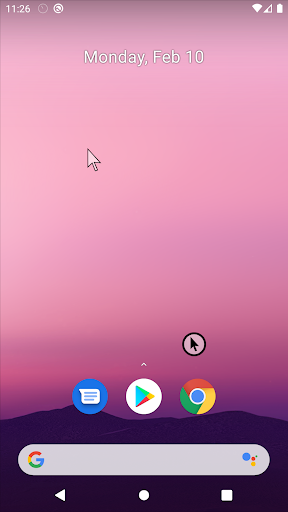
Take full control of your device with a highly customizable floating mouse. Click, drag, or draw. With Mouse Keys, you can move the cursor precisely, even when your hands are shaking, allowing you to accurately click small buttons.
Key Features:
Always-visible floating cursor: Reach any corner of the screen with one hand.
Multiple control modes: Default, Voice Click, Gliding Cursor, or Mouse Keys.
Cursor customization: Adjust speed, delay, sensitivity, size, and color.
Drawing mode: Long press to draw with customizable pen thickness and color.
Drag & scroll: Long-press to drag or use the middle wheel click to scroll.
Fun animations & sounds: Add particles, shapes, custom icons, and click sounds.
Image support: Load images as mouse icons or for drawing.
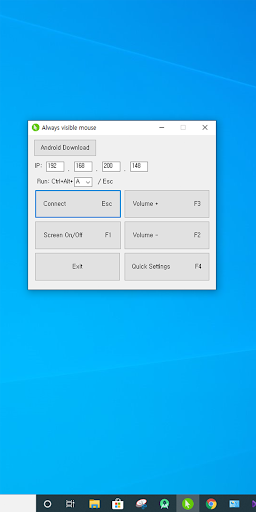
Remote input support: Control Windows (requires EXE) or other Android devices over Wi-Fi.
Advanced accessibility:
Face recognition cursor movement
Smile detection for clicking
Voice or blowing gestures for clicks
Auto-click after 3 seconds or in screen corners
Multiple sequential clicks
Magnifier: Zoom in on your cursor position for precision.
This floating mouse combines creativity, accessibility, and efficiency—perfect for anyone seeking more control and fun while using their device.
What’s new
Fixed a bug where missing permissions prevented searching for all launcher apps when using the 'Save the edge bar of each app' feature.