

- Install
- 7.4 K
- 44
- 4.2
- Category
- Personalization
- Last updated
- 2026 August 26
- Size
- 36 MB
View antivirus results
| Antivirus | Status |
|---|---|
| ZonerMobileSecurity | Clean |
| Kaspersky | Clean |
| Symantec | Clean |
| Comodo | Clean |
| Eset | Clean |
| FSecure | No result |
Needs further review: this scanner has not returned a result for this version of the app. | |
| DrWeb | Clean |
| McAfee | Clean |
| GooglePlayProtect | Clean |
| ClamAv | Clean |
App screenshots




About this app
While you are on a trip, enable the Pocket mode, place your phone in your pocket and keep it covered. The app will recognize and start ringing when someone takes your phone out of your pocket.
Do you often misplace your phone and get worried about find your device? Don't worry, With Find Phone app locate your phone is so easy just clap your hands or whistle.
Take a nap with Don’t touch feature is awesome. No worry about others peeking.
"Find Phone" is a mobile app designed to help users locate their misplaced or lost phone easily with find phone by clap function. The app uses the device's microphone to detect a user's clapping sound and trigger an alarm. The alarm will continue to ring until the user find the device.
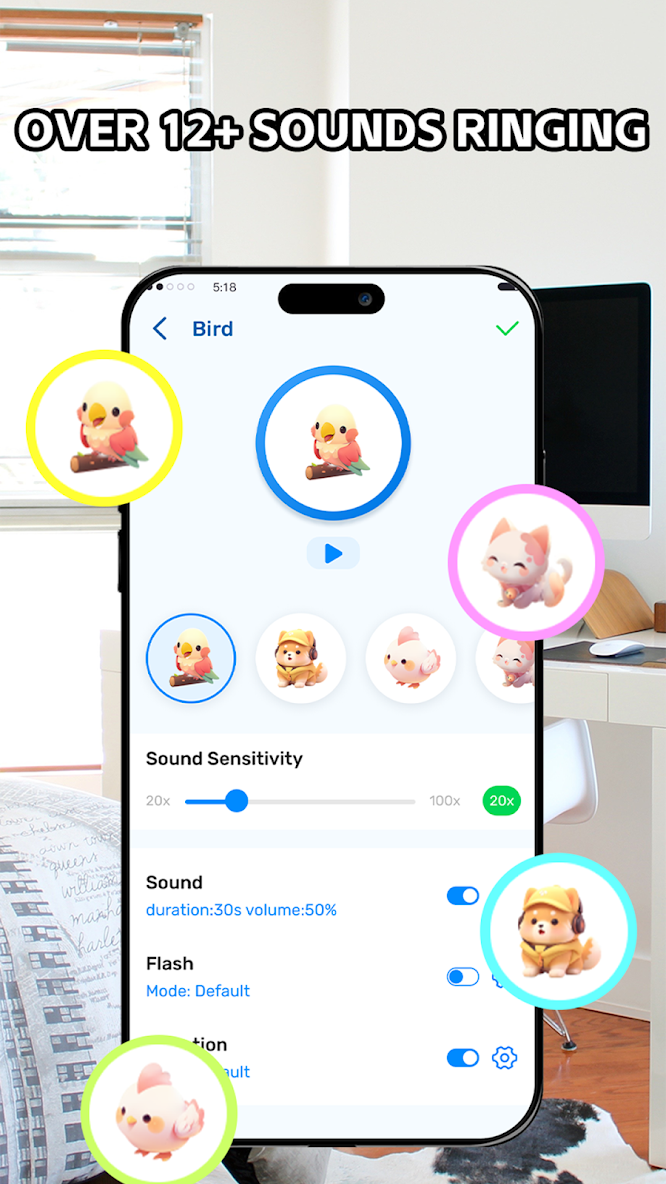
The Find Phone app is easy to use and does not require any setup or configuration. It is also highly customizable, allowing users to choose from different alarm sounds and adjust the sensitivity of the clap detection feature.
In addition to the phone locator feature, users can set up the app to sound an alarm if someone else tries to pick up their phone or if there is any suspicious activity.
Find Phone app works by analyzing the patterns and frequency of the clapping sound and differentiating it from other noises to ensure accuracy in phone finding.
Key features
Find my Phone by Whistle
Find Lost Phone by Clapping
Touch Phone starts ringing
Out of pocket starts ringing
If you are busy in your work, daily activities & tasks and misplaced your phone, just activate this app and find the phone by clapping.
How to use
Clap to find your phone
1.Tap on the button to activate “Clap to find" feature.
2.Clap your hands or whistle to find your phone.
3.The app will detect the clapping sound and ringing.
Don't touch
1.Tap on the button to activate "Don't touch" feature.
2.Wait about 5 seconds to start the alarm.
3.The app detects when someone touches your phone and starts to ring.
Pocket mode
1.Tap on the button to activate "Pocket Mode" feature.
2.Wait about 5 seconds to start the alarm.
3.Place your phone in your pocket, being careful to keep it covered.
4.The app will recognize and start ringing when someone takes your phone out of your pocket.
Passcode
1.Make and save an audio passcode.
2.Tap on the button to activate "Passcode" feature.
3.When you can't find your phone, speak the passcode aloud.
4.The app will detect the passcode sound by AI and ringing.


