- Install
- 28 K
- 65
- 3.8
- Category
- Photography
- Last updated
- 2026 November 9
- Size
- 59 MB
View antivirus results
checking the app
App screenshots




About this app
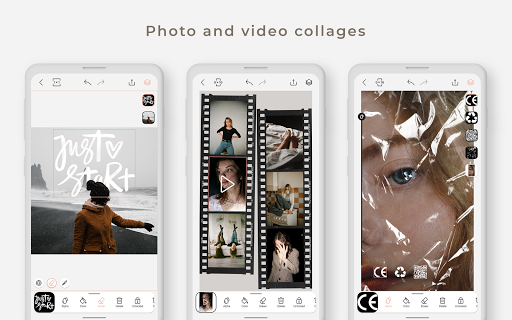
Graphionica is a free photo and video editor for creating stunning stories, collages, and designs for any social network. Make beautiful story templates, combine several photos and videos at once, add stickers, drawings, custom text, and textured backgrounds — then export in high resolution without quality loss.
Whether you're a story maker, a collage maker, or just want a powerful photo editor in your pocket, Graphionica gives you everything to find your own style.
✔ Ready-to-use templates
Start a project in a second. Templates are fully editable — open one, swap layers, add your photos and videos, and you're done. Save your own designs as templates and reuse them as many times as you like.
✔ Fonts, text & lettering
Write your own text with a wide choice of fonts (many support Cyrillic), or drop in ready-made lettering from regularly updated sticker packs. Add calligraphy and inscriptions in PNG format.
✔ Background eraser
Cut the background from any photo and save the result as your own custom sticker. You can even erase video!
✔ Video support
Build collages, erase backgrounds, and place stickers, custom text, and lettering right on top of your videos.
✔ Layers & precise editing
Work with layers and change their order. Duplicate objects, flip them horizontally or vertically, and adjust transparency and color to build collages even faster.
✔ Undo anything
A built-in history lets you undo any action — position, size, transparency, color, or eraser — with up to 50 history states.
✔ All popular sizes
Graphionica supports every popular resolution for stories and social feeds, with clean high-resolution export.
❤️ Premium
Subscribe to Premium for full, unlimited access to all fonts and stickers.
📌 For ideas, tutorials, and inspiration, follow @graphionica and share your work with #graphionica.
What’s new
• Canvas zoom: pinch to zoom up to 1000%. Tap the percentage or double-tap with two fingers to go back to 100%.
• Guides: objects snap to the canvas edges, its center and each other, with distance hints while you move them.
• Auto-Select: turn it off to keep working with the selected object without grabbing others by accident.
• Rotation shows the angle and snaps every 45°.
• Smoother video with shapes and eraser, faster sliders and eyedropper.
• Bug fixes and improvements.