

View antivirus results
checking the app
App screenshots


About this app
Camera To PDF Scanner turns your phone into a portable document scanner. Scan paper documents with the camera or import photos from your gallery, clean them up, and save them as PDF or JPEG files.
⭐ KEY FEATURES
Scan
• Scan with the camera or import photos from the gallery
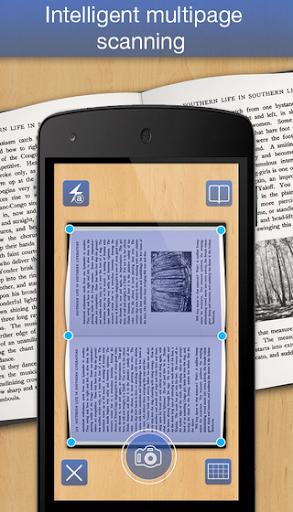
• Automatic edge detection with a live outline and perspective correction
• Optional auto capture when the document is steady
• Multi-shot mode: capture many pages in a row
• Batch scan: pick many photos and turn them into one document
• Flash control
Enhance
• Filters: Color, Gray, Black & White and Magic color (reduces shadows)
• Adjust contrast and black & white detail
• Crop, rotate and re-adjust any page at any time
Edit and sign
• Draw on pages with a pen or highlighter, with undo and redo
• Add your handwritten signature: choose the ink color, move, resize and rotate it
• Rename documents and reorder, rotate, delete or add pages with drag and drop
Text recognition (OCR)
• Recognize text on one page or on all pages, then edit, copy or share it
• Optional searchable PDF export
• Text recognition runs on your device
PDF tools
• Export multi-page PDFs with page sizes such as A3, A4, A5, Letter, Legal and Business Card
• Adjust margin, image position and quality
• Merge PDFs, split or extract pages, and compress PDFs
• Protect a PDF with a password
• Built-in PDF viewer to open, read, print and share PDF files
Manage and share
• Search, sort and select multiple documents; grid or list view
• Share as PDF or images through email, Google Drive, messaging and other apps
• Back up all documents and settings to a ZIP file, and restore them later
• Lock the app with your fingerprint
• Home screen widget and launcher shortcut for quick scanning
• Available in many languages
📌 HOW TO USE
1. Tap Scan to use the camera, or Gallery to import photos.
2. Crop the page, choose a filter and save it to a document.
3. Add more pages, then organize, draw or sign if needed.
4. Export as PDF or share the pages as images.
📂 FILE STORAGE
• JPEG pages: Pictures/PdfScanner/
• Exported PDFs: Documents/PdfScanner/
🔒 PRIVACY
Your scans stay on your device. The app never uploads your documents or scanned text to our servers. To keep the app free, it shows ads and uses Google services such as AdMob and Firebase Analytics/Crashlytics, which may collect device and usage data (for example advertising ID, crash logs and diagnostics). See our Privacy Policy for details. You can remove ads with an optional one-time Pro upgrade.
📧 CONTACT
Questions or suggestions? Email us at kunkunsoftware@gmail.com
What’s new
- add new feature: open PDF has password, widget, merge images to one page
- fix bugs and improve performance


