

- Install
- 770
- 2
- 4.5
- Category
- Maps & Navigation
- Last updated
- 2026 October 17
- Size
- 90 MB
View antivirus results
| Antivirus | Status |
|---|---|
| FSecure | Clean |
| Comodo | Clean |
| ClamAv | Clean |
| ZonerMobileSecurity | No result |
Needs further review: this scanner has not returned a result for this version of the app. | |
| GooglePlayProtect | No result |
Needs further review: this scanner has not returned a result for this version of the app. | |
| DrWeb | Clean |
| Symantec | Clean |
| McAfee | Clean |
| Eset | Clean |
| Kaspersky | Clean |
App screenshots




About this app
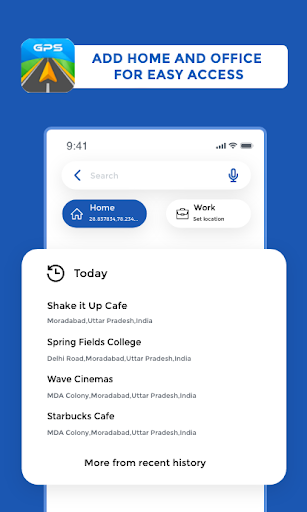
Maps and directions app that ensures smooth travel with our GPS Maps Driving Directions, GPS Navigation .
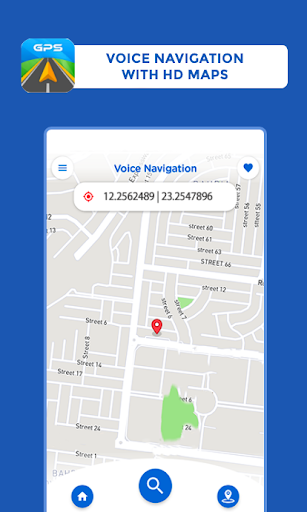
With this GPS navigation and maps, whether you’re driving, walking, or biking, provides real-time GPS Maps voice navigation to help you reach your destination with ease. With reliable voice navigation, with driving directions support, and multiple travel modes, including a detailed maps, this GPS app is your go-to companion for both local and global journeys.
Main Features of GPS Maps & Driving Directions:
How to Use Our GPS Navigation and Map App:
1. Download and Install
2. Set Your Location
curate navigation.
3. Enter Your Destination
4. Choose Your Route
5. Start Navigation
6. Real-Time Traffic Updates
7. Explore Additional Features
8. Feedback and Support
When using our Maps app, you will receive voice navigation and route maps as well as driving directions. Our Navigation Map app offers the latest maps and provides accurate voice GPS driving directions, ensuring that users no longer feel lost in the city. By downloading our voice GPS with map directions, you can easily utilize our navigation system to get directions from one point to another.
What’s new
Enjoy 3 Days Free on the Yearly Premium Plan!
- Try Premium free for 3 days.
- Enjoy an ad-free navigation experience and premium features.
- Improved subscription experience and performance.


