

View antivirus results
checking the app
App screenshots




About this app
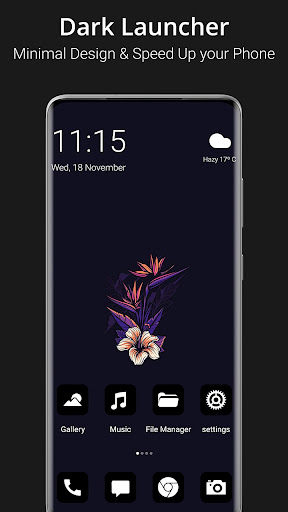
Now you can use dark mode launcher to convert you mobile human eye friendly device. Download now!
SUPPORTED FEATURES
File Manager
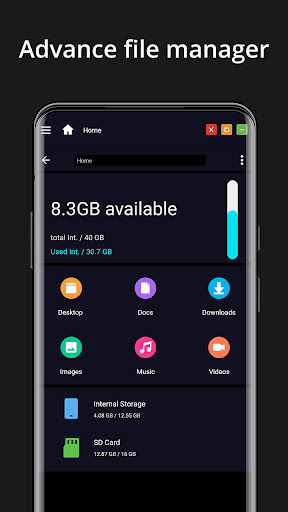
With built-in support of File Explore and File Manager you can search and explore your files and Folders, Copy, Paste, Zip/Unzip, RAR, Delete Files, Share Files and can do lot more...
Explore your file system with this simple and efficient file explorer and file manager in native desktop computer design. You will be amazed at the interface that resembles to Mi OS
- Built-In support of File Explorer
- Create Folders, Cut, Copy, Paste, Move, Share etc.
- Listing of all of your drives, SD Card, Storage, audio and video files and pictures in PC style.
- put the files to Recycle Bin and delete later in style
- Built-in ZIP support allows you to decompress or extract ZIP/RAR files
System Features
- Default home screen
- Total new style launcher
- App Menu
- Action Center. Notifier Center: You can check the notice of application or system with Notification Center.
- Android application in Stylish Tiles - In Start Menu
- Best application are available on One Click - Create Shortcuts of most used application on Desktop by press and Hold Feature.
- Easy Navigation to the Apps
- Desktop Widgets
- Drag and drop Improved
- Clock Widget
- Weather Widget
- RAM info widget
- Changeable desktop folders
- Live Wallpapers
- Photo tiles changeable
- Task-bar icons removable
- Desktop App Folders
- Weather, Calendar and Photos tiles Added
- Task-bar Transparency option added
- Improved Themes Compatibility
- Multi Tasking Made optional (enable /disable from settings)
- Lock Screen
- Multi Color Support for Task bar and menu
- Themes and Icon Pack - Android TV /Tablet support
- Hide Applications
- Desktop Icons Removable
- Add Applications in Start Menu
- Change the Start Menu Application (Press and Hold the app to change)
- Change applications in Task-bar (Press and Hold)
- Built-In Gallery Feature added
- Photo Tile changeable
- Widgets in desktop mode
- Built in apps (Photo viewer)
What’s new
- Fixed a crash when dragging icons to the dock
- Fixed a crash when asking for folder access on some phones
- Rating prompt no longer opens behind other screens
- Theme wallpapers apply with more themes
- Widget pictures and fonts load faster
- Fixed a crash opening settings on some phones


