
- Install
- 110
- Category
- Photography
- Last updated
- 2021 January 31
- Size
- 2 MB
View antivirus results
checking the app
App screenshots
About this app
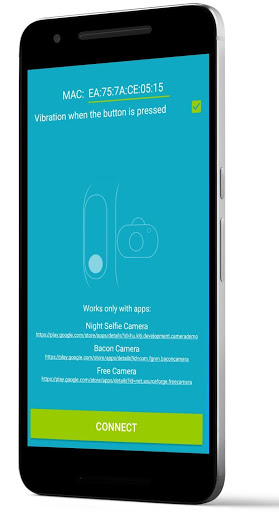
This simple app turns Mi Band 2/3/4/5/HRX & Amazfit Bip/Arc as a remote shutter to your phone's camera
Review in English https://www.youtube.com/watch?v=IDDiqP2NA-4
Review in Hindi https://www.youtube.com/watch?v=axZ98ohrkvs
Tinjau dalam Bahasa Indonesia
https://www.youtube.com/watch?v=yh8W6B1q7AM
If the app does not connect to Mi Band 2 or is connected, but does not work, you need to turn Bluetooth off and on, and after that the app will connect and work stably.
This app only works with the apps:
Open Camera ( https://play.google.com/store/apps/details?id=net.sourceforge.opencamera )
Circle Camera ( https://play.google.com/store/apps/details?id=com.camera.at.circle )
Night Selfie Camera ( https://play.google.com/store/apps/details?id=hu.kiti.development.camerademo )
Bacon Camera ( https://play.google.com/store/apps/details?id=com.fgnm.baconcamera )
Free Camera ( https://play.google.com/store/apps/details?id=net.sourceforge.freecamera )
Enter the MAC of your Mi Band 2/4/HRX & Amazfit Bip/Arc and press CONNECT and wait until DISCONNECT appears.
When the bracelet is connected, it vibrates.
Then open the app Free Camera and click button on the bracelet.
You can see the MAC in the app Mi Fit - Profile - Devices Mi Band 2/Amazfit - MAC below.
What’s new
Supports Open Camera, Circle Camera, Night Selfie Camera, Bacon Camera and Free Camera
for Mi Band 2/3/4 & Amazfit Bip