

- Install
- 150
- Category
- Entertainment
- Last updated
- 2026 November 13
- Size
- 48 MB
View antivirus results
checking the app
App screenshots




About this app
Photo to Sketch: Pencil Sketch Maker, Sketch Steps & AR Drawing App
Turn any photo to sketch in seconds, then learn how to draw it yourself, step by step. Photo to Sketch is a sketch app, drawing app and photo editor in one: convert pictures into pencil sketch art, line drawings and charcoal sketch effects, follow easy drawing lessons, and trace the sketch on paper with AR drawing. No drawing skills needed.
✏️ Photo to Sketch & Pencil Sketch
• Photo to sketch converter: image to sketch, picture to sketch, photo to pencil sketch and photo to drawing in one tap.
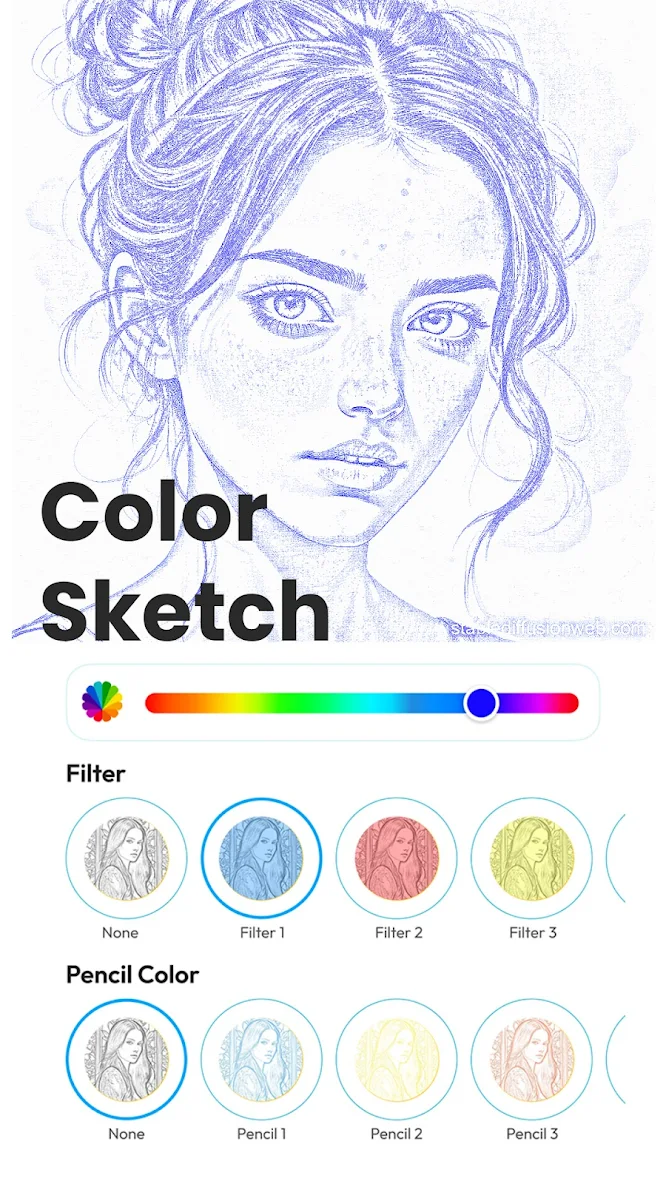
• AI sketch styles: Detailed Sketch, Pencil Portrait, Charcoal Study, Ink Line Art, Colored Pencil, Urban Sketch and Manga Sketch, plus pencil sketch, charcoal sketch and cross sketch filters.
• Portrait sketch for selfies, couples and family; sketch photo effects and sketch art for pets and landscapes.
• Sketch camera: take a photo and get an instant sketch effect.
• Sign your pencil drawing so it looks hand-made. A sketch maker, sketch photo maker and pencil sketch photo editor for gifts, prints and posts.
👣 Sketch Steps: How to Draw Step by Step
• Easy drawing lessons in 9 steps, right in the drawing app: a cute cat, puppy, bunny, rose, sunflower, butterfly, a realistic eye, portraits, a dragon, a classic car and more.
• How to draw anime: draw an anime face step by step, or turn a photo into a Manga Sketch and trace it.
• A drawing app step by step: pick a photo from your gallery or a template, and follow the sketch steps.
• Learn sketch drawing, face drawing and portrait drawing at your own pace, one sketch step at a time.
📱 AR Drawing & Camera Drawing: Trace Any Sketch
• Camera drawing works like a drawing projector in your pocket: see the sketch over your paper and trace drawing lines by hand.
• AR drawing in three steps: align the outline, pin it to the paper, start drawing.
• Light box mode turns the screen into a bright tracing light box: lay thin paper over it and trace.
• Adjust opacity, flip, show the outline and lock the screen while you copy every line.
🎨 Image to Outline & Line Art
• Photo to line drawing: extract a clean photo outline with smart edge detection.
• Make line art, outline drawings, a coloring page or a stencil from your own pictures.
• Great for tattoo stencil ideas, canvas underdrawings, coloring page printing and tracing practice.
💡 Drawing Ideas & AI Sketch Generator
• Not sure what to draw? Type a scene or tap Surprise me, and the AI sketch generator draws a reference to trace with AR drawing. Endless drawing ideas.
• AI image generator: the image generator and sketch generator turn text into AI drawing art and illustrations.
• AI Cartoonify: make a cartoon photo out of any selfie.
• AI Upscale: sharpen and enhance low-resolution photos.
• AI Background Remover: the background remover erases backgrounds in one tap. Pair the background remover with a pencil sketch for clean portraits.
• AI Image Edit: change and refine your images with AI.
✂️ Sketch Photo Editor
• Crop, rotate and scale every pencil drawing, then save in high quality and share anywhere.
• Many sketch filters and sketch effects in one sketch maker, plus an AI sketch generator and sketch generator prompts for AI sketch art.
How Photo to Sketch Works
1. Pick a photo or take one with the camera.
2. Choose a style: pencil sketch, charcoal, outline, urban sketch, cartoon or AI art.
3. Save it, share it, or draw it step by step on paper with AR drawing.
Photo to sketch, sketch steps, easy drawing lessons, outline, coloring page and AR drawing in one sketch app: a free sketch and drawing app for artists, students and beginners. Make a portrait sketch, AI sketch art with the AI image generator, or a pencil sketch from any photo to sketch. Free to start, with optional Pro features for more styles and AI tools. Download Photo to Sketch, the photo drawing app, drawing photo app and pencil sketch maker, and learn how to draw from photo step by step.
What’s new
• More stable: fixed crashes in the sketch editor, hand drawing and photo permissions
• Smoother on budget phones while photos are processing
• Video unlocks load faster, and if no video is available you still get your result
• Bug fixes and performance improvements


