

View antivirus results
| Antivirus | Status |
|---|---|
| ZonerMobileSecurity | No result |
Needs further review: this scanner has not returned a result for this version of the app. | |
| Eset | Clean |
| Comodo | Clean |
| Symantec | Clean |
| FSecure | No result |
Needs further review: this scanner has not returned a result for this version of the app. | |
| McAfee | Clean |
| DrWeb | Clean |
| ClamAv | Clean |
| GooglePlayProtect | No result |
Needs further review: this scanner has not returned a result for this version of the app. | |
| Kaspersky | No result |
Needs further review: this scanner has not returned a result for this version of the app. | |
App screenshots

About this app
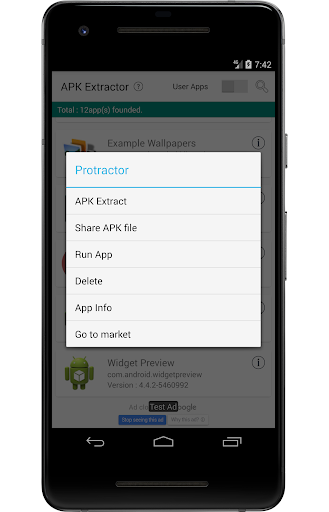
You can easily extract the APK file by selecting the app you want to extract and pressing a single button.
[Main Features]
📌 Distinguish between system apps and user-installed apps.
📌 View app information (app version and package name).
📌 Run, delete, or open the selected app in the market.
📌 Filter the list using app search.
[Permissions Information]
✅ Required Permissions
➤ Query All Packages Permission
🔹 Required to retrieve the list of installed apps.
✅ Optional Permissions
➤ Access All Files Permission
🔹 Required to locate backed-up apps in internal storage.
➤ Request Package Installation Permission
🔹 Required to install backed-up apps on the device.
What’s new
* UI Improvements.
* bug fix.
* Split APK supported.
* Extract and install (split) APKs is supported.
Thank you for using : )


