- Install
- 73 K
- 316
- 4.7
- Category
- Photography
- Last updated
- 2026 July 29
- Size
- 22 MB
View antivirus results
| Antivirus | Status |
|---|---|
| McAfee | Clean |
| FSecure | No result |
Needs further review: this scanner has not returned a result for this version of the app. | |
| Symantec | Clean |
| ClamAv | Clean |
| Kaspersky | No result |
Needs further review: this scanner has not returned a result for this version of the app. | |
| Eset | Clean |
| DrWeb | Clean |
| Comodo | Clean |
| ZonerMobileSecurity | Clean |
| GooglePlayProtect | Clean |
App screenshots


About this app
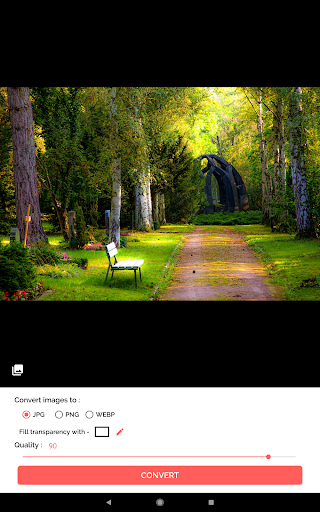
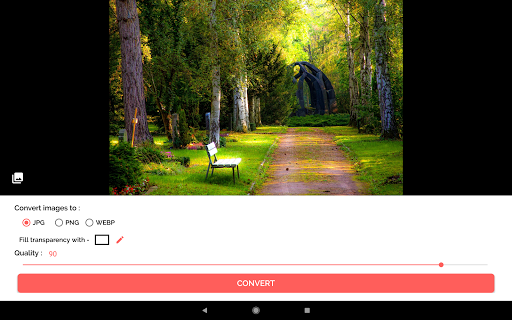
Introducing Image Converter: JPG PNG PDF - the ultimate, all-in-one image conversion solution for all your needs! Easily transform, resize, and optimize multiple images in one app - no multiple downloads required! Manage your image files effortlessly and share them with friends, family, or colleagues in a snap.
🌟 Key Features:
- Convert single or batch images to various formats: JPG, PNG, PDF, GIF, or WEBP
- Compress and resize photos with high-quality results
- Customize image output quality and dimensions
- Edit photos: crop, rotate and flip before conversion
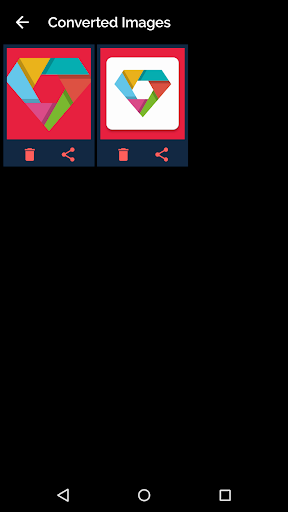
- Organize and manage converted images in separate folders
- Share images directly from the app or save them to your device
📸 How to Use:
1. Select single or multiple images from your gallery or camera
2. Edit or crop the images as you desire
3. Choose the output format and compression level
4. Save in the designated folder, or share directly from Image Converter
Supported Conversions:
- JPG to PNG, PNG to JPG
- BMP, CR2, HEIC, DDS, and more to JPG, PNG, WEBP, GIF, or PDF
- Image to PDF (JPG to PDF, PNG to PDF, more)
- JPG, JPEG to GIF, PNG to GIF
- Fill transparent areas with custom colors
- Convert online or offline, no internet connection required
Say goodbye to individual image converter apps. With Image Converter: JPG PNG PDF, transform multiple files at once and experience seamless image conversion across a variety of formats. Edit, resize, and share your pictures without the hassle of multiple downloads. Try Image Converter: JPG PNG PDF for free today and discover the difference!
What’s new
Improved ad reliability and banner sizing. Fixed Android 6 image-loading crashes, folder-selection freezes, startup responsiveness, and document access reliability.