

View antivirus results
| Antivirus | Status |
|---|---|
| McAfee | Clean |
| FSecure | No result |
Needs further review: this scanner has not returned a result for this version of the app. | |
| Symantec | Clean |
| ClamAv | Clean |
| Kaspersky | No result |
Needs further review: this scanner has not returned a result for this version of the app. | |
| Eset | Clean |
| DrWeb | Clean |
| Comodo | Clean |
| ZonerMobileSecurity | No result |
Needs further review: this scanner has not returned a result for this version of the app. | |
| GooglePlayProtect | No result |
Needs further review: this scanner has not returned a result for this version of the app. | |
App screenshots



About this app
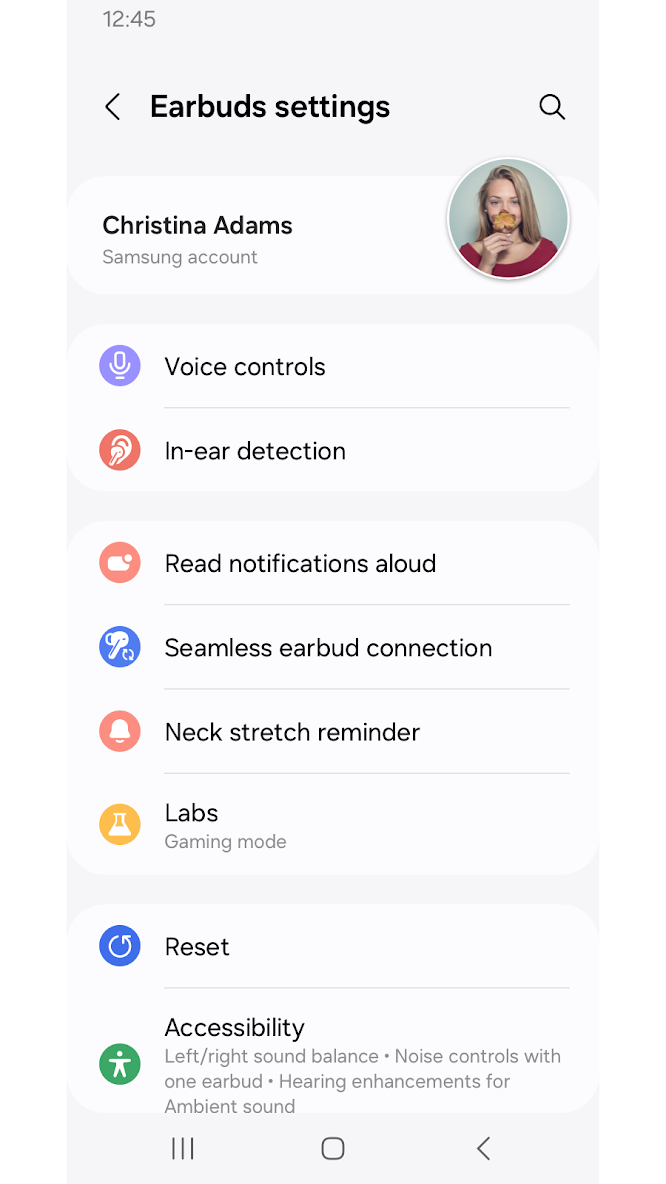
The Galaxy Buds3 Pro Manager allows you to use features such as device settings and status view when connected to a Galaxy Buds3 Pro device.
This application does not work alone because this is a component of the Galaxy Wearable application.
The Galaxy Wearable application has to be installed first for the Galaxy Buds3 Pro Manager application to operate normally.
※ Please allow the permissions of the Galaxy Buds3 Pro Manager in Android Settings to use all the features in Android 10.0 or later.
Settings > Applications > Galaxy Buds3 Pro Manager > Permissions
※ Access permission information
The following permissions are required for the app service. The basic features of the service can be used, even if optional permissions aren't granted.
[Required Permissions]
- Calendar : Purpose for checking Calendar information for using voice notification function
- Call logs : Purpose for confirming Call logs information for voice notification function
- Contacts : Purpose for confirming Contacts information for voice notification function
- Nearby devices : Purpose for confirming to search Buds Devices
- Notifications : Purpose for confirming voice notification function
- Phone : Purpose for confirming Contacts information for voice notification function
[Optional Permissions]
-None
Previously allowed permissions can be reset on Apps menu in device settings after software update.
What’s new
Initial Official Release


