

View antivirus results
| Antivirus | Status |
|---|---|
| ClamAv | Clean |
| GooglePlayProtect | No result |
Needs further review: this scanner has not returned a result for this version of the app. | |
| McAfee | Clean |
| Kaspersky | No result |
Needs further review: this scanner has not returned a result for this version of the app. | |
| DrWeb | Clean |
| Comodo | Clean |
| FSecure | No result |
Needs further review: this scanner has not returned a result for this version of the app. | |
| Eset | Clean |
| ZonerMobileSecurity | Clean |
| Symantec | Clean |
App screenshots




About this app
Samsung Magician allows users to conveniently manage their Samsung Portable SSD settings.
[Supported Models]
- Samsung Portable SSD T7
- Samsung Portable SSD T7 Touch
- Samsung Portable SSD T7 Shield
- Samsung Portable SSD T9
- Samsung Portable SSD T5 EVO
[Supported Features]
- Enable / disable Samsung Portable SSD security functionality.
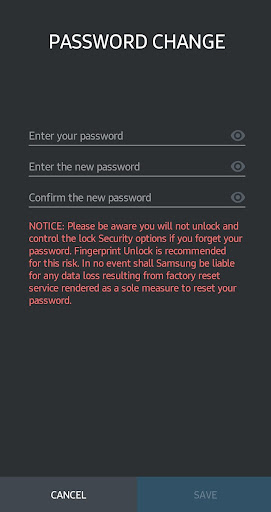
- Change and manage Samsung Portable SSD password settings.
- Change and manage Samsung Portable SSD fingerprint settings. (T7 Touch only)
- Change Samsung Portable SSD device name.
- Provides timely notifications of the latest software and
firmware updates.
What’s new
Improve functions and fix bugs


