
View antivirus results
checking the app
App screenshots




About this app
Multiple strategies to control your screen time, block apps and websites, and stay focused. Regain your freedom.
Pause before opening apps or websites:
Take a moment before launching a distracting app. The wait time can increase with each use, helping you build intention — a technique also seen in apps like Opal.
Interrupt your scrolling:
Limit your time on distracting apps to short bursts so you don’t get pulled in. If you’ve tried tools like Opal, this approach will feel familiar.
Set usage goals:
Define daily limits per app — and optionally block access when you hit your target.
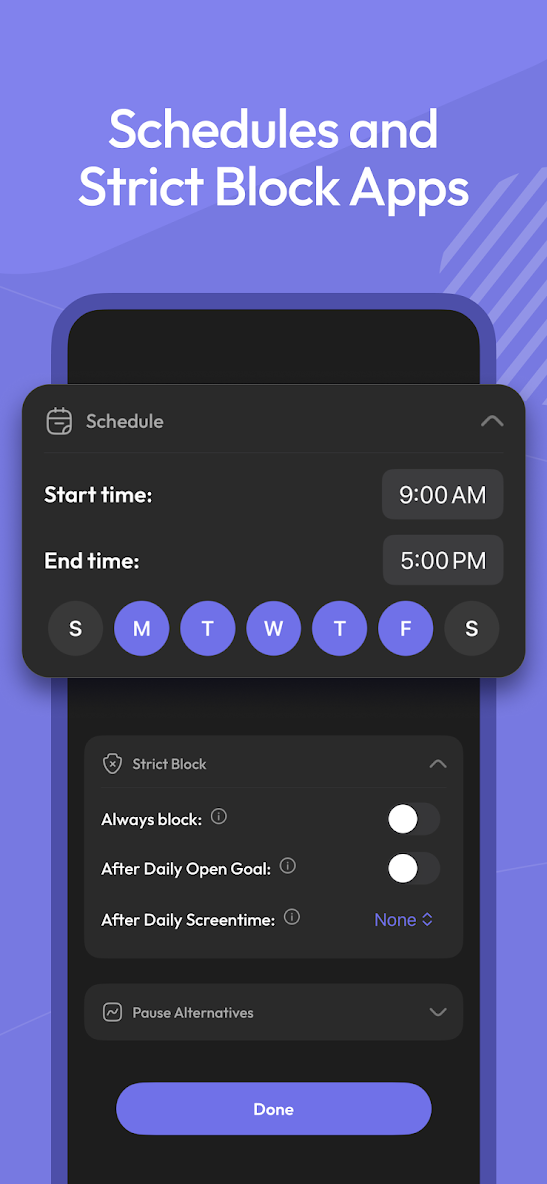
Customize by day and time:
Flexible settings for different days of the week and hours of the day, tailored per app.
Mindful prompts before opening apps:
Messages like “Is this important?” encourage reflection — a small but powerful habit, also appreciated by users of focus-first apps like Opal.
See only the screen time that matters:
Track your time on distracting apps only. Productive tools like Google Maps won’t distort your stats.
ScreenZen uses Accessibility permissions to block websites.
What’s new
What's new:
✨ ScreenZen Launcher: a calm, minimalist home screen that removes tempting app icons and hides blocked apps.
🔐 Email sign-in, in addition to Google.
⏰ Halo heads-up: a quiet countdown before a scheduled Halo block.
🛡️ Stronger protection: permission safeguards and overlays cleared during calls.
🛠️ Bug fixes and performance improvements.