View antivirus results
| Antivirus | Status |
|---|---|
| DrWeb | Clean |
| FSecure | Clean |
| ZonerMobileSecurity | No result |
Needs further review: this scanner has not returned a result for this version of the app. | |
| Symantec | Clean |
| Comodo | Clean |
| GooglePlayProtect | No result |
Needs further review: this scanner has not returned a result for this version of the app. | |
| Eset | Clean |
| Kaspersky | Clean |
| ClamAv | Clean |
| McAfee | Clean |
App screenshots


About this app
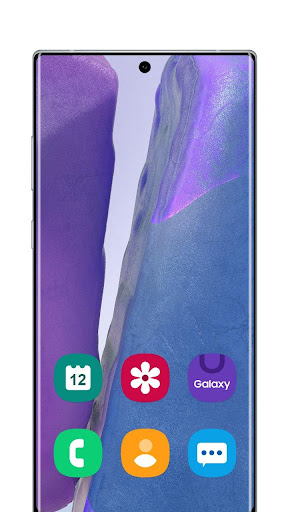
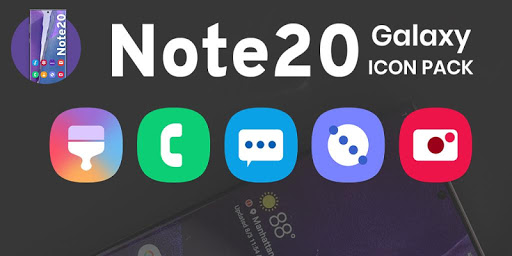
Give your phone the classic Galaxy look with the Galaxy Note20 Theme, a One UI style icon pack and wallpaper collection inspired by the Galaxy Note20 and Galaxy Note20 Ultra. With 3,000+ One UI icons and exclusive FHD+ Note20 wallpapers, this launcher theme turns any Android home screen into a bright, familiar Galaxy experience.
Every icon and wallpaper in this Note 20 theme is crafted to deliver the clean, colorful One UI feel. Optimized for the latest edge-to-edge displays (including the Galaxy S26 Ultra, Galaxy S25, and modern flagship devices), the Galaxy Note20 Theme gives your phone and tablet a fresh, premium interface every time you unlock it.
🚀 Key Features:
• 3,000+ One UI Icons: A huge Galaxy icon pack of clean, colorful icons with rounded corners, inspired by One UI and flat icon design.
• Calendar Date Icons: Date icons from 1 to 31 in Samsung, Google and Xiaomi calendar styles, so supported launchers can show today's date on the calendar app.
• Galaxy Note20 Wallpapers in FHD+: A curated collection of crisp HD wallpapers optimized for all screen sizes, including tall aspect ratio displays.
• Home & Lock Screen Wallpapers: Set your favorite wallpaper as your home screen or lock screen background in one tap.
• Light & Dark Themes: The app follows your device's light or dark mode, so it looks right by day and by night.
• Offline Access & Storage: Save your favorite HD wallpapers directly to your device for quick, data-free access anytime.
• One-Tap Sharing: Seamlessly share your favorite wallpapers and the app with friends.
• Icon Requests: Missing an app? Request its icon from inside the app with an optional paid plan: one payment for the period you choose, with no automatic renewal.
• Wide Compatibility: Works on Android phones and tablets running Android 7.0 and above.
🛠️ Supported Launchers:
This Galaxy Note20 icon pack is fully compatible with a wide range of popular Android launchers, including:
• Desktop Launcher
• OS Launcher 26
• Galaxy S26 Ultra Launcher
• Android 16 Style Launcher
• Nova Launcher
• ADW Launcher
• Action Launcher
• Smart Launcher
• Go Launcher
💡Note: This icon pack also works with many other launchers that support third-party themes. If your launcher isn't listed, simply apply Galaxy Note20 Theme through your launcher's internal "Icon" or "Theme" settings.
✨ Quick & Effortless Setup:
1. Open Galaxy Note20 Theme.
2. Tap Apply Icon Pack and choose your launcher.
3. Enjoy your new Galaxy Note20 style home screen.
✨ Looking for a Galaxy Note20 theme, a Note20 Ultra icon pack, One UI icons, or a fresh launcher theme for Android? The Galaxy Note20 Theme brings it all together to customize your home screen.
Download the Galaxy Note20 Theme today and give your phone a bright, classic Galaxy look!
What’s new
— v3.5
• Desktop Launcher support, with themed This PC, Recycle Bin and Start button icons
• Redesigned wallpaper viewer with quick download, share and set-as-wallpaper controls
• Fixed a crash when saving a wallpaper on older Android versions
• Calendar icon mapping fixed, and Xiaomi Calendar added
• The pack's own icon is now themed
• Clearer confirmation after subscribing to icon requests
• Performance and stability improvements