- Install
- 4 K
- 83
- 3.6
- Category
- Photography
- Last updated
- 2025 October 10
- Size
- 85 MB
View antivirus results
checking the app
App screenshots




About this app
Capture, edit and share incredible videos - anywhere, anytime - for your personal life, school work, and your business with WeVideo’s video editor for Android.
With WeVideo and your mobile device, you don’t need to be a professional to create and share compelling, high-quality videos.
EASY-TO-USE VIDEO EDITOR:
• Use videos and photos from your camera roll on your phone, or capture them from your camera
• Arrange and trim clips
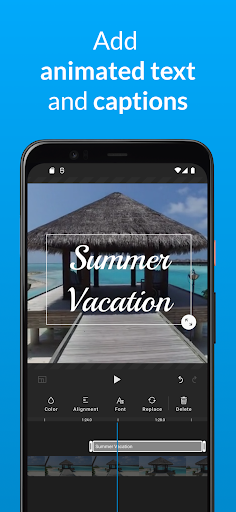
• Add text titles and captions
• Change the style of your videos with transitions, filters, animations, and more
• Enhance your video with voiceover and music tracks
• Share to TikTok, Snapchat, Instagram, and other social media channels
FEATURES
• EASY ACCESS AND CAPTURE
Access photos and videos from your photo library or capture them from your device’s camera
• CUT AND TRIM
Trim video clips and arrange them in the order you want
• TEXT TITLES AND CAPTIONS
Emphasize key points by adding text titles and captions
• AUDIO: MUSIC, SOUND EFFECTS, AND VOICEOVER
Enhance your video with voiceover narration, music tracks, and sound effects*
• EXTENSIVE CONTENT LIBRARY*
Leverage the WeVideo stock library that includes:
⁃ Royalty-free video clips
⁃ Royalty-free music tracks
⁃ Royalty-free photos and illustrations
⁃ Motion titles
⁃ Transitions
⁃ Font
⁃ Filters
• STUNNING VIDEO EFFECTS
⁃ Photo animations - Use the Ken Burns effect to make photos come alive
⁃ Remove the WeVideo watermark (paid plans)
• EASY TO STORE, EXPORT, PUBLISH AND SHARE
⁃ Publish your videos in up to 4K Ultra HD*
⁃ Format your videos in vertical or landscape (9:16, 1:1, 16:9) for easy viewing on any device
⁃ Save to your device or store in the cloud*
⁃ Share directly to social media sites like:
TikTok
Snapchat
Instagram
Facebook
* Dependent on your plan type
Love the WeVideo video editor?
Like us on Facebook: http/www.facebook.com/wevideo
Follow us on Twitter: http://twitter.com/wevideo
Privacy policy: https//www.wevideo.com/privacy
Terms of use: https://www.wevideo.com/terms-of-use
What’s new
We've added the ability to list, rename, and delete web projects from your mobile device. Plus, you can now upload media directly to them!