

- Install
- 520
- Category
- Education
- Last updated
- 2026 August 30
- Size
- 7 MB
View antivirus results
| Antivirus | Status |
|---|---|
| ClamAv | Clean |
| Symantec | Clean |
| ZonerMobileSecurity | Clean |
| GooglePlayProtect | Clean |
| Eset | Clean |
| McAfee | Clean |
| Kaspersky | Clean |
| DrWeb | Clean |
| Comodo | Clean |
| FSecure | No result |
Needs further review: this scanner has not returned a result for this version of the app. | |
App screenshots
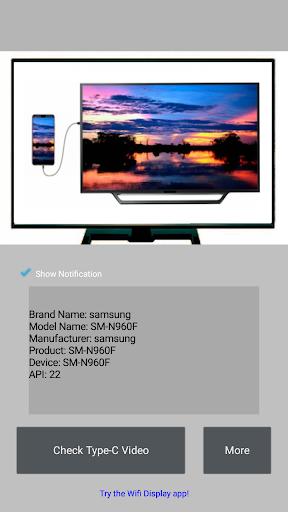


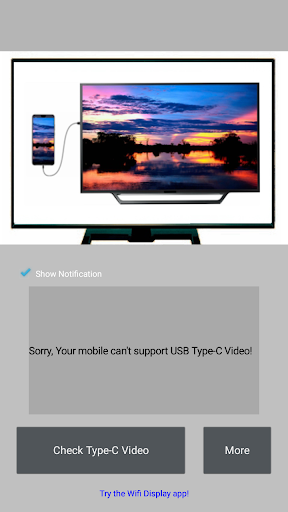
About this app
Checker for Type-C Video is a widget to check USB Type-C video capability from this mobile to TV.
Before you decide to buy a USB Type-C to TV cable/adapter , you can verify your mobile first!
The App is very easy to use , please mail yangyz20191101@gmail.com if any question!
There is a known supported mobiles list -
Samsung Galaxy S8/S8+/S9/S9+/S10/S10+ , Note8/Note9
Huawei Mate10/Mate10 Pro/Mate20/Mate20 Pro/Mate20 X/Mate20 RS/Mate X , P20/P20 Pro/P30/P30 Pro
Honor Note10 , V20
HTC U Ultra , U11 , 10 , M9
LG G5 , V30
OPPO R17 Pro
Essential PH-1(P)
The specification allows for USB Type-C cables to be made with no need for extra dongles or converters, and allow compatible devices to output video directly from a USB-C device to a TV display. This means that smartphones, tablets, laptops, cameras, and any other devices with a USB-C port can be built to directly output video to any TV display with a single cable.
Alt Mode, which stands for Alternative Mode, allows non-USB signals to be carried through a USB-C cable. Other USB-C Alt Modes support DisplayPort, MHL, and Thunderbolt. USB-C devices that support these Alt Modes can then, with the correct USB-C cable, transfer those signals in addition to regular USB data.
What’s new
1.6.9 Update to SDK36


