- Install
- <100
- Category
- Tools
- Last updated
- 2026 October 19
- Size
- 24 MB
View antivirus results
| Antivirus | Status |
|---|---|
| Eset | Clean |
| GooglePlayProtect | No result |
Needs further review: this scanner has not returned a result for this version of the app. | |
| ClamAv | Clean |
| FSecure | Clean |
| Comodo | Clean |
| ZonerMobileSecurity | No result |
Needs further review: this scanner has not returned a result for this version of the app. | |
| Symantec | Clean |
| Kaspersky | Clean |
| McAfee | Clean |
| DrWeb | Clean |
App screenshots


About this app
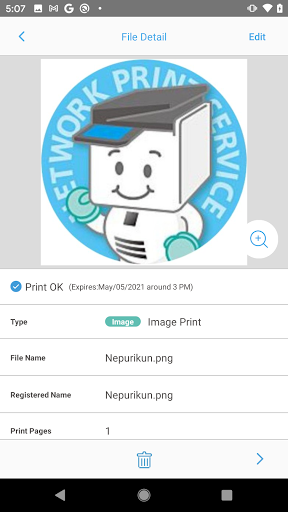
You can print out the files you have registered via internet in advance on a Sharp Multi-Function Copier in a convenience store by using the Network Print Service.
Simple 3 steps to use!
1. Register the file you want to print in the APP. (*Prior membership registration (free of charge) is needed.)
2. Go to a convenience store having Sharp Multi-Function Copier.
3. Select necessary number of copies to print.
You can print on a Sharp Multi-Function Copier in the following convenience store in Japan.
- FamilyMart
- Poplar Group
- Lawson
*The service may not be available in some stores.
Network Print Service allows you to;
- register photos and print in L/2L size.
- print ID photos, calendars, posters and postcards.
- print Word/Excel®/Power Point/PDF files as well as photos.
- register map image of travel destination and print.
- share with everybody by using one account (flyer, pamphlet or free paper etc.)
- resolve urgent print needs while on a business trip at the nearest convenience store.
- print the hotel voucher or confirmation of reservation coupon quickly in Japan even though you forgot to bring them.
*Please see the web site of Network Print Service for more information.
https://networkprint.ne.jp/
What’s new
- Android17 has been supported.
- Operation stabilities are improved.