- Install
- <100
- Category
- Education
- Last updated
- 2026 September 26
- Size
- 29 MB
View antivirus results
| Antivirus | Status |
|---|---|
| ZonerMobileSecurity | No result |
Needs further review: this scanner has not returned a result for this version of the app. | |
| FSecure | No result |
Needs further review: this scanner has not returned a result for this version of the app. | |
| Kaspersky | No result |
Needs further review: this scanner has not returned a result for this version of the app. | |
| Comodo | Clean |
| ClamAv | Clean |
| Symantec | Clean |
| Eset | Clean |
| McAfee | Clean |
| GooglePlayProtect | No result |
Needs further review: this scanner has not returned a result for this version of the app. | |
| DrWeb | Clean |
App screenshots


About this app
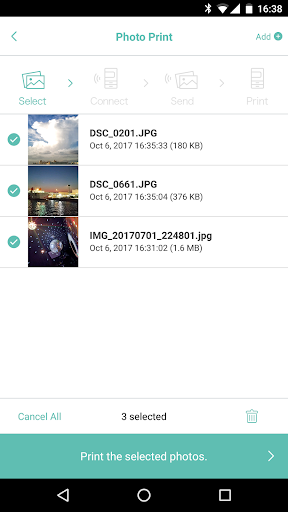
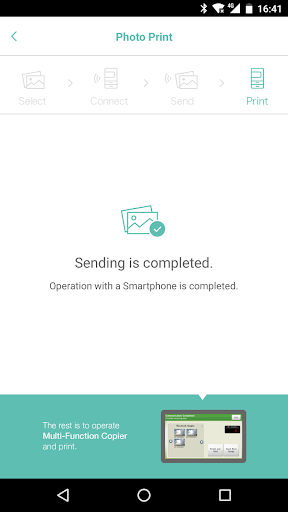
PrintSmash is an application, that enable to print photos and PDF files stored on Android devices and save scanned data, on a SHARP multi-functional copier installed in convenience stores, by utilizing Wi-Fi communications.
Main Specification
Print
- Supported file format
JPEG, PNG, PDF
PDF file which is encrypted and/or set password is not supported.
- Registerable number of files
JPEG, PNG: 50 in total
PDF: 20
* For PDF files, each file needs to be less than 200 pages.
* When the pages of the uploaded file are more than the number of printable pages, you can select the range of pages to be printed at the operation of Multi-Function Copier to print them all in several batches.
- Transmittable file size
Less than 30MB for 1 file
Less than 100MB in total when transmit multiple files
Scan
- Supported file format
JPEG, PDF
- Receivable number of files
JPEG: 20 in total
PDF: 1
* The scanned data may become big depending on the settings. Please pay attention to the remaining space for storage.
* When you uninstall PrintSmash, all the saved scanned data are deleted together. If you want to copy them in other APPs, you can use [Share] to do that.
What’s new
- Operation stabilities are improved.