- Install
- <10
- Category
- Tools
- Last updated
- 2021 January 30
- Size
- 580 KB
View antivirus results
checking the app
App screenshots

About this app
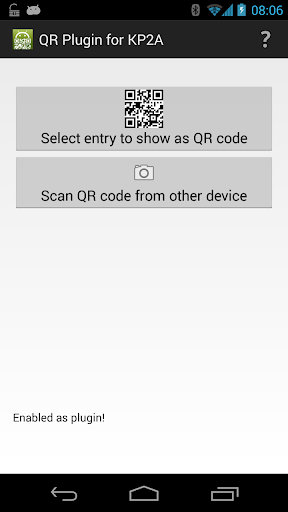
This is a plug-in app for Keepass2android (https://play.google.com/store/apps/details?id=keepass2android.keepass2android) or https://play.google.com/store/apps/details?id=keepass2android.keepass2android_nonet).
It adds the following features to Keepass2Android:
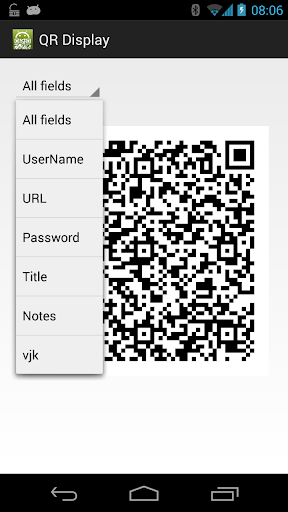
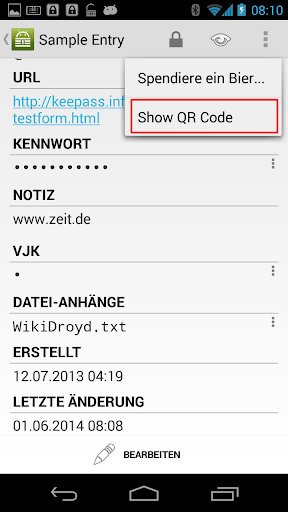
- display passwords, usernames etc. (or the full entry) as a QR code
- scan QR codes to quickly find an entry
- scan QR codes to add the scanned text to your Keepass database.
This plug-in can be used to transfer database entries from one Android device to another, e.g. if you want to securely share credentials with a friend. Therefore, install it on both devices and then:
1.) open the entry you want to share
2.) select "Show QR Code" from the options menu (in the action bar)
3.) open the plug-in app on the other device
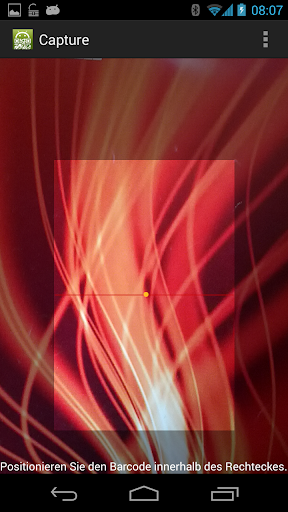
4.) select "Scan QR code from other device"
5.) scan the code from the display of the first device
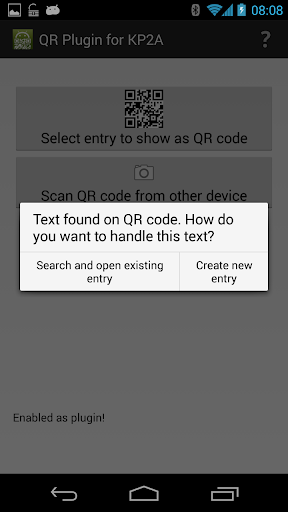
6.) you are asked wether you want to search and open an entry or create a new one. Select "Create new entry"
7.) log in to your database if it is not already opened.
8.) select the group where you want to add the entry and click "Add entry"
9.) review the entry and select "Save"
What’s new
app can now be installed on devices without camera as well (for displaying QR only)