View antivirus results
| Antivirus | Status |
|---|---|
| ClamAv | Clean |
| McAfee | Clean |
| Kaspersky | No result |
Needs further review: this scanner has not returned a result for this version of the app. | |
| Eset | Clean |
| Symantec | Clean |
| FSecure | No result |
Needs further review: this scanner has not returned a result for this version of the app. | |
| ZonerMobileSecurity | No result |
Needs further review: this scanner has not returned a result for this version of the app. | |
| GooglePlayProtect | Clean |
| Comodo | Clean |
| DrWeb | Clean |
App screenshots


About this app
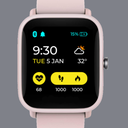
Application has collection of watch faces for Amazfit Bip
Amazfit Bip Lite
Amazfit Bip S
Amazfit Bip U
Amazfit Bip U Pro
Amazfit Bip 3
Amazfit Bip 3 Pro
Amazfit Bip 5
Amazfit Bip 5 Unity
Amazfit Bip 6
Amazfit Bip Max
Features: Directly sync watch face to watch via bluetooth.
1. Easy to find & change watchface or dials.
2. Watch face available in 10 different language.
3. Simple instruction to download & sync watch face.
4. Search dials by category, language, text.
5. Download & Favourite watch face section to easily find old dials.
6. Added Zepp standard watch faces to the list.
7. Convert watch face from one model to another.
8. Watch face editor to create your own watch face using template.
How to directly sync watchface to Amazfit Bip 3 or Bip 3 Pro watch.
https://www.youtube.com/watch?v=TpfKCBDlpxg
How to directly sync watchface to Amazfit Bip or Bip U watch.
https://www.youtube.com/watch?v=_IQIFVeZqKc
How to install custom third party watch faces on Amazfit watch using QR code.
https://www.youtube.com/shorts/3wiRW0NTQKM
Note: Watch must connected to Amazfit/Zepp Life app while syncing watchface. For Bip 3 & Bip U watch, before syncing watch face from this app, please remove one or two old watch face from watch to make space for new.
If you have issues, please mail us at below developer email.
Disclaimer : We don't have any relation with Amazfit or Mi in any way.
What’s new
Allow to switch between different watch face model.
Update watch face editor to add system element to the watch face.