

View antivirus results
checking the app
App screenshots

About this app
Unleash the full potential of your mobile gaming with Panda Touch Pro, the ultimate touch screen mobilizer! Tired of clunky touch controls holding you back? Panda Touch Pro empowers you with advanced touch mapping and automation, transforming your phone into a precision gaming machine.
Dominate your favorite mobile games with features designed for unparalleled control and customization:
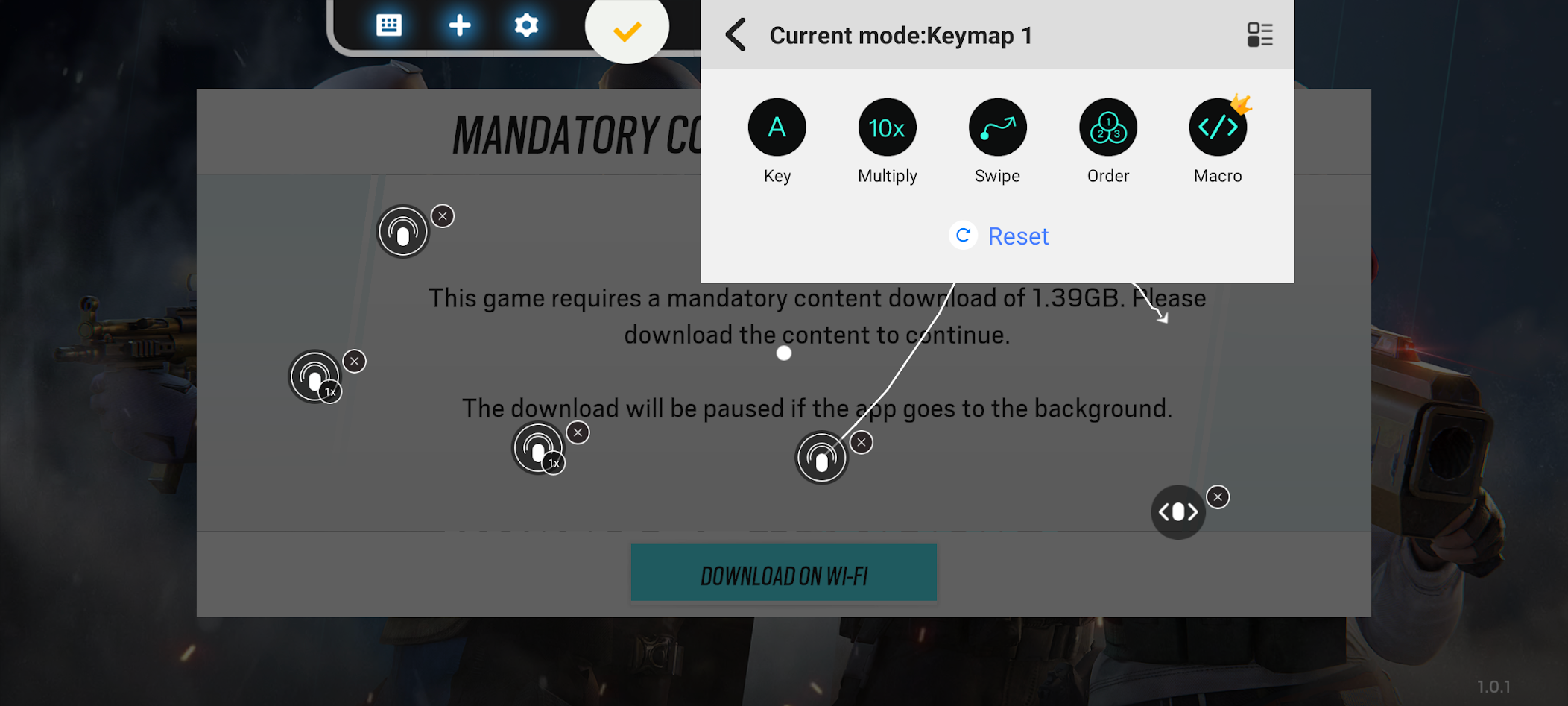
* Transform Simple Touches: Map volume, power, and other hardware keys to complex actions like multi-touch, swipes, ordered taps, and even powerful macros.
* One-Tap Power: Execute complex multi-touch gestures, swipes, and macros with a single tap, giving you the edge in fast-paced games.
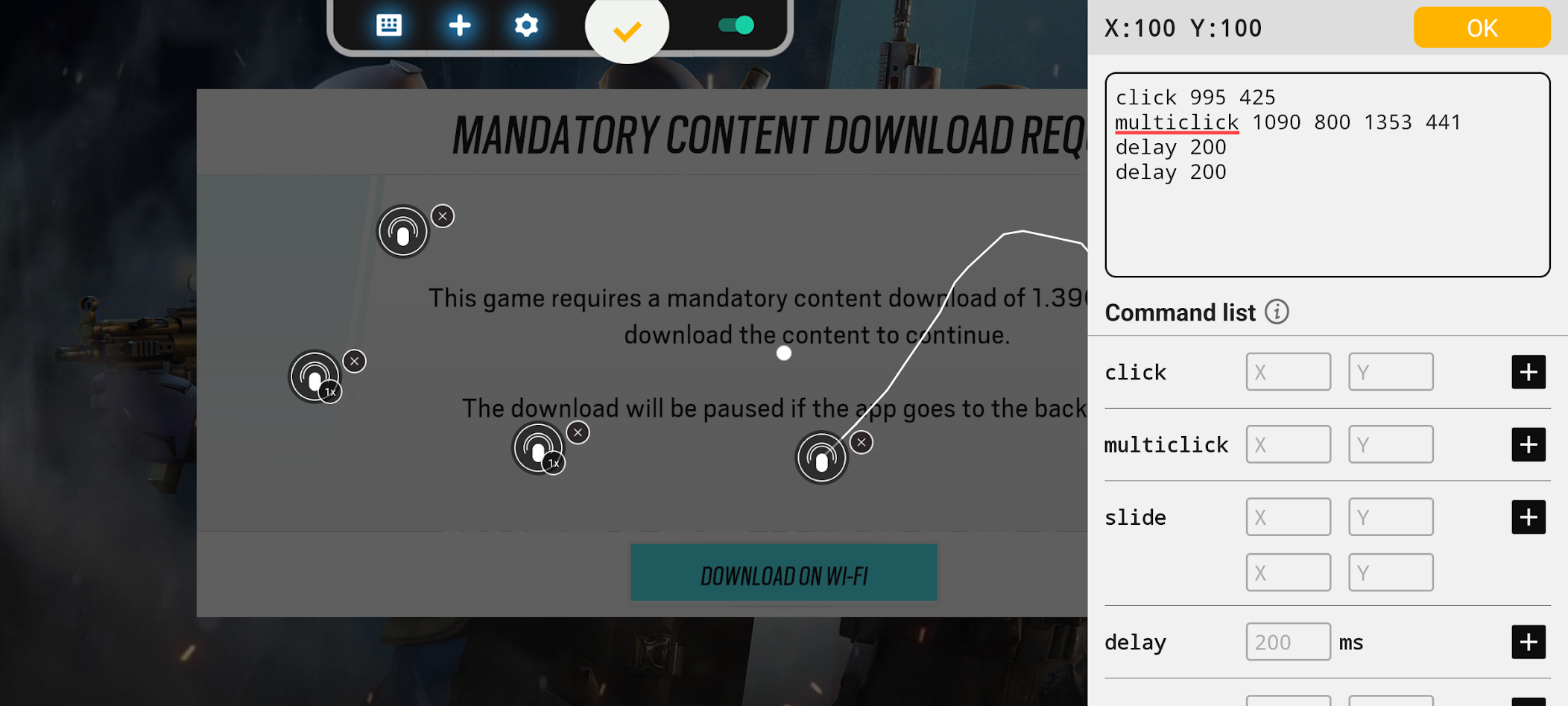
* Advanced Macro Engine: Create intricate sequences of clicks, multi-clicks, delays, slides, presses, and multi-presses, automating complex actions and combos. Perfect for optimizing your gameplay.
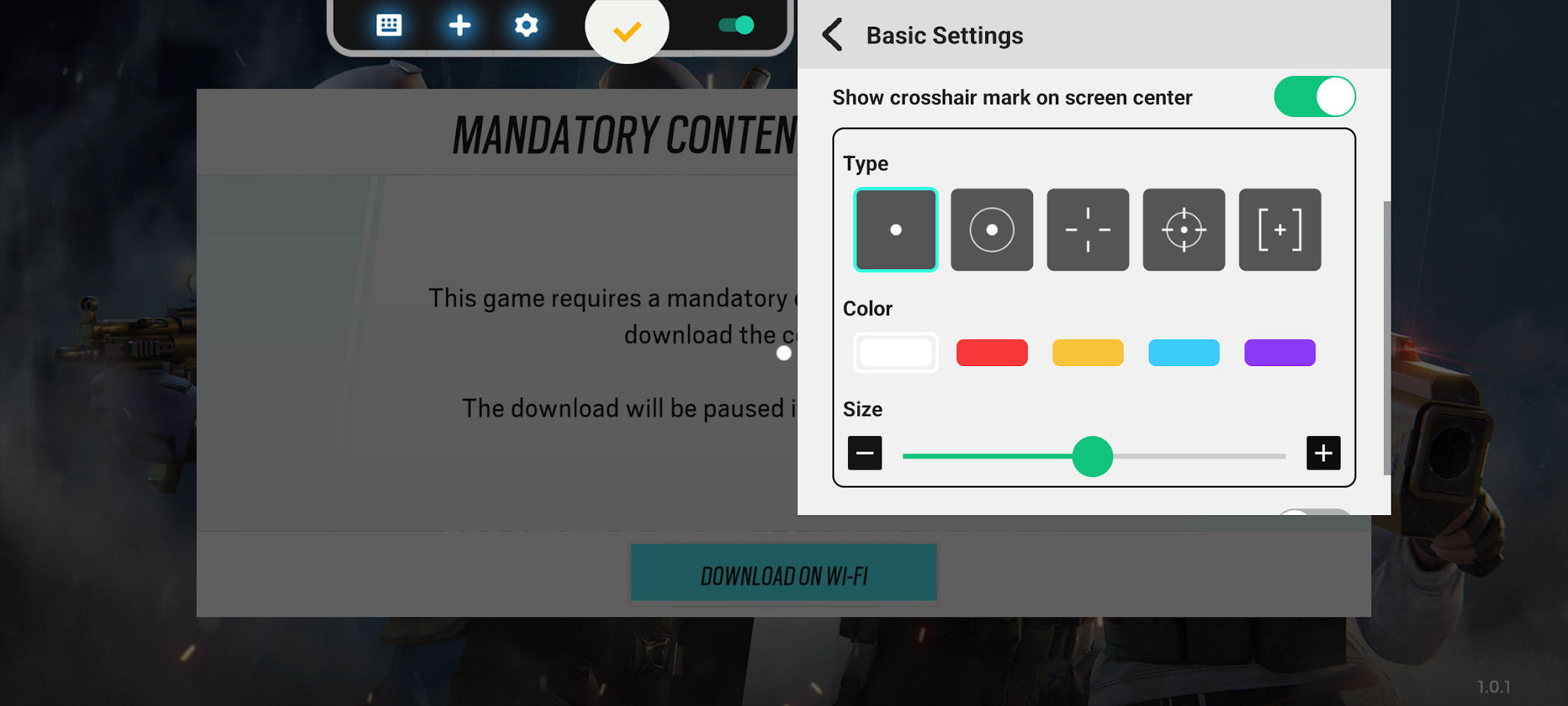
* Precision Aiming: Customize your crosshair with various types, colors, and sizes, enhancing your accuracy in FPS games and giving you a visual advantage.
* Mobilize Your Gameplay: Take full control of your touch screen experience and unlock new levels of precision and efficiency. Panda Touch Pro is the perfect mobilizer for gamers who demand the best.
* Easy Activation: Get up and running quickly with streamlined activation. Works seamlessly on Android 11 and above, with simple PC/Mac connection for Android 10 and below. Rooted devices activate automatically.
Free to use, supported by ads.
Learn more with our video tutorials: https://www.youtube.com/@0xgary
Join the Panda Gaming family! Panda Touch Pro is the perfect companion to Panda Mouse Pro (for keyboard/mouse gaming) and Panda Gamepad Pro (for controller gaming).
What’s new
- Redesigned the Macro Editor with syntax highlighting, command validation, and quick command insertion.
- Added an option to hide overlays from screenshots and screen sharing.
- Fixed incorrect touch-to-button matching.
- Various stability and usability improvements.


