
View antivirus results
| Antivirus | Status |
|---|---|
| Kaspersky | No result |
Needs further review: this scanner has not returned a result for this version of the app. | |
| FSecure | No result |
Needs further review: this scanner has not returned a result for this version of the app. | |
| GooglePlayProtect | No result |
Needs further review: this scanner has not returned a result for this version of the app. | |
| DrWeb | Clean |
| Symantec | Clean |
| Comodo | Clean |
| Eset | Clean |
| ZonerMobileSecurity | No result |
Needs further review: this scanner has not returned a result for this version of the app. | |
| McAfee | Clean |
| ClamAv | Clean |
App screenshots


About this app
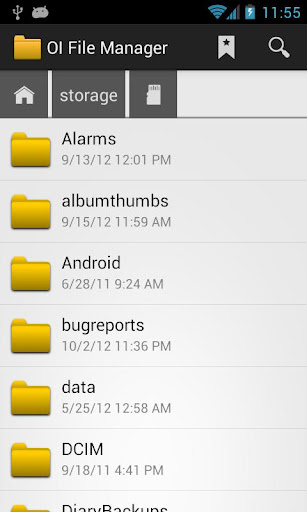
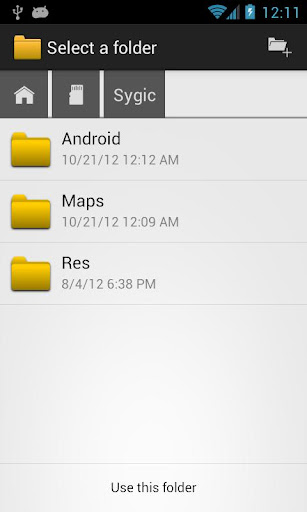
OI File Manager allows you to browse your SD card, create directories, rename, copy, move, and delete files. It also acts as an extension to other applications to display "Open" and "Save" dialogs.
This application is ad free and does not require the internet permission.
For the complete list of changes and a list of frequently asked questions, please visit:
http://www.openintents.org
You can help to improve the translation into your language at Launchpad:
https://translations.launchpad.net/openintents/trunk
The source code of this free and open source application is available at:
http://code.google.com/p/openintents
Features:
* Show list of files with thumbnails for images.
* Move, copy, rename, and delete files.
* Create and delete directories (folders).
* Send files by email.
* Acts as an extension to other applications, like GMail, to attach files.
* Support for many file endings and mime types.
* Supports PICK_FILE and PICK_DIRECTORY intents so that other applications can use OI File Manager.
What’s new
- minor bug fixes
- better support for newer Android versions
- improve handling of deleted files
- updated preferences